
Header
Injector
Add, modify & remove request and response headers on any page — each a rule you can flip on and off, scope to where it belongs, and group into profiles.
Built on Manifest V3 and declarativeNetRequest, so headers hit the real network layer — no interception scripts, and it works on everything from page loads to websockets.
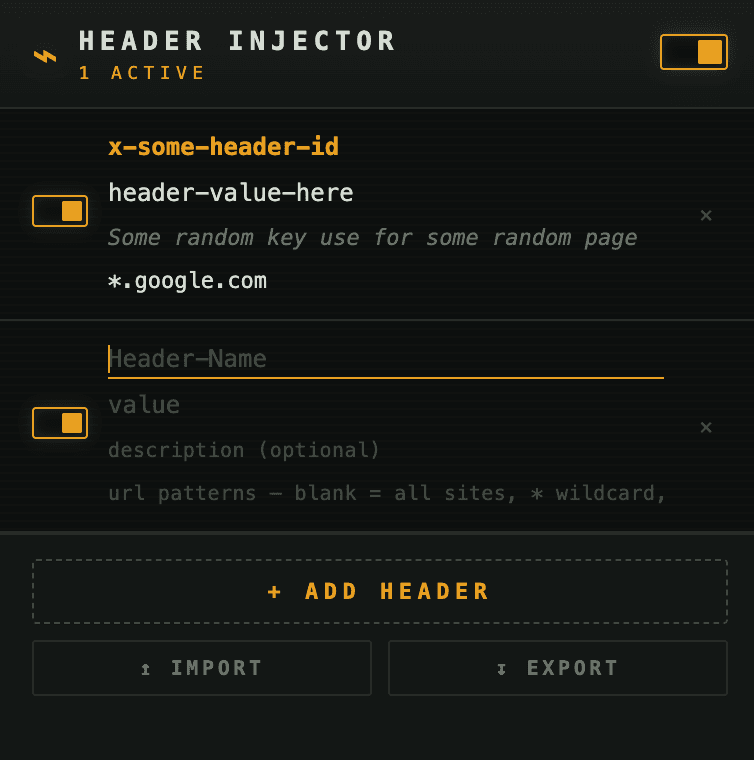
write a rule, aim it, done
Name a header and a value, then choose set, append, or remove — on the request or the response.
Leave it global, or aim it with wildcard/regex URL patterns, HTTP methods, and resource types.
Keep dev / staging / prod sets in separate profiles, flip rules on or off, or bypass everything at once.
what's under the hood
Add, overwrite, append, or remove headers on outgoing requests and incoming responses — strip a CSP, fix a CORS header, spoof a User-Agent.
Applied by Chrome's own network layer via declarativeNetRequest — page loads, fetch/XHR, images, even websockets. No per-request scripts, no overhead.
Target a rule by wildcard or regex URL, by HTTP method, and by resource type. Leave it blank and it applies everywhere.
Group rules into named profiles — dev, staging, prod — and switch the whole set with one dropdown. Only the active profile is live.
Paste a headers block or a curl command to build rules instantly, or import/export your whole setup as JSON. It reads other tools' exports too.
Rules sync across your machines via your Chrome profile, a toolbar badge counts the live ones, and a debug panel shows what fired on the current tab.
Get the extension
Install it free from the Chrome Web Store, or read the source and build it yourself from GitHub.