
Page
Snap
Screenshot the page you're on — the whole page, just the viewport, a single element, or every device size. One click, and a PNG, JPG, or PDF lands in your downloads.
Full-page shots render in a single pass through Chrome's DevTools Protocol — no stitching artifacts — and device captures genuinely reflow the layout at each width.
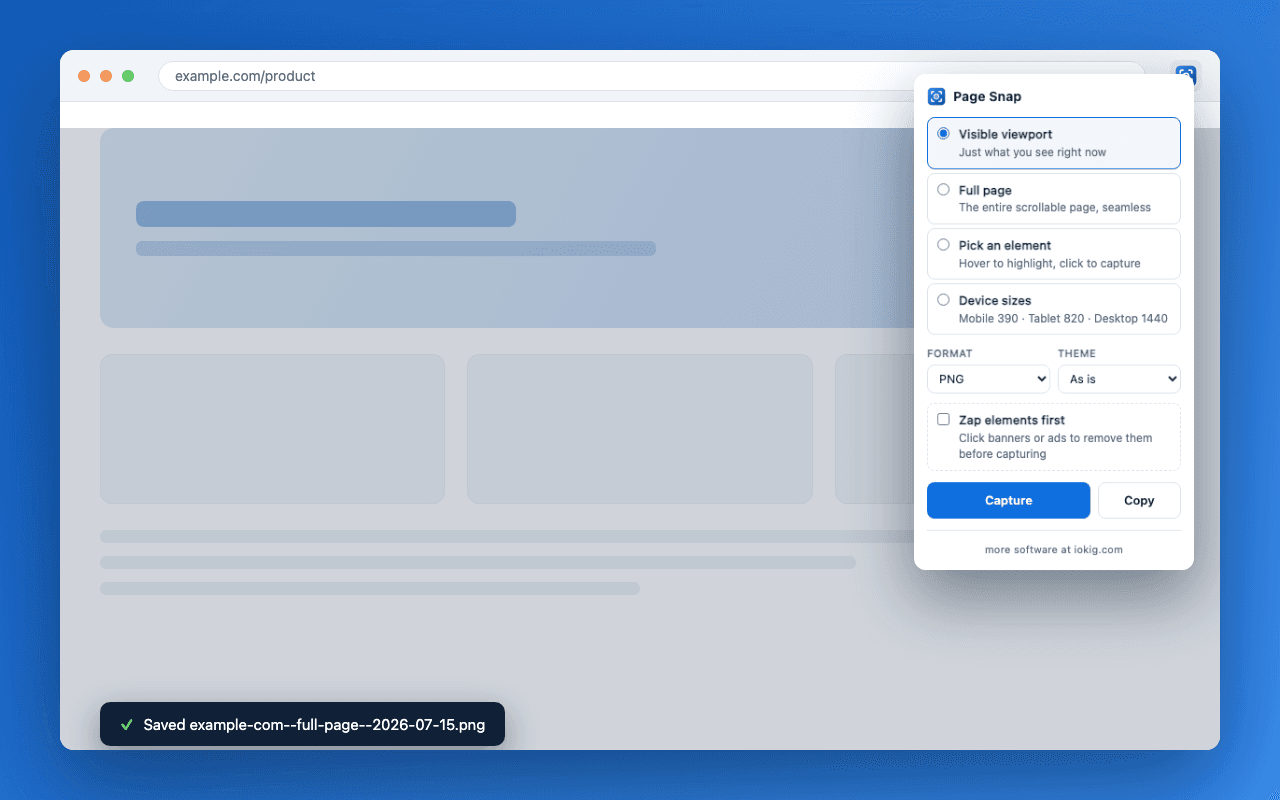
pick, click, saved
Viewport, full page, a single element, or all three device sizes — the panel remembers your last choice.
One click. Element mode hands you a highlighter: hover anything on the page, click to take exactly that box.
A PNG, JPG, or PDF lands in your downloads, named after the site, mode, and time. No save dialogs, no naming files.
what's under the hood
The whole scrollable page rendered in one pass through Chrome's DevTools Protocol — no scroll-and-stitch seams, no sticky header repeated five times down the shot.
Hover to highlight any element — a card, a table, a nav bar — and click to capture exactly its box. Esc backs out.
One action re-renders the page at mobile 390, tablet 820, and desktop 1440 and captures each. Genuinely reflowed responsive layouts, not a desktop shot scaled down.
The quick mode grabs exactly what's on screen using Chrome's native tab capture — no debugger attach, no delay.
Pick the output format per capture. PDFs embed the real capture — multi-shot captures can land as one multi-page PDF or one file per shot.
Click cookie banners, ads, or chat widgets to remove them before the shot. They come straight back once the file is saved.
Emulate the page's color scheme and capture light, dark, or a matching pair in one go — each file labelled with its theme.
Send a PNG straight to the clipboard instead of downloading, or skip the panel entirely: Alt+Shift+1/2/3 capture with your last-used settings.
Every capture is named site--mode--timestamp, so a folder of screenshots stays sorted and searchable. Device shots add the preset name.
No analytics, no network requests, no data collection. It runs only when you click it, sees only the tab you're on, and nothing leaves your machine.
Get the extension
Install it free from the Chrome Web Store, or read the source and build it yourself from GitHub.